CPA Networks
It's Not One-Size-Fits-All, but
At Least there Are Standards.
At Least there Are Standards.
Pulling Ads
And you may also have: There are a few general steps to take regardless of the network. Broad brush strokes are:
Then... Each network's system is different, so rather than going into a step-by-step in all of them, it's important to understand the concepts rather than the unique step-by-steps for each network. We'll use Linkshare (aka Rakuten) as an example. Once you've been approved by a merchant, you'll want to head to the [Links] section, like this: 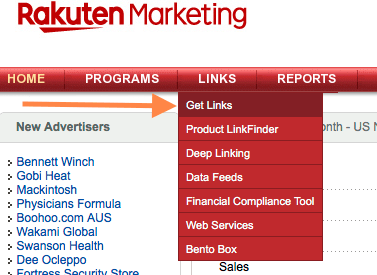
...which will then take you to a page like this: 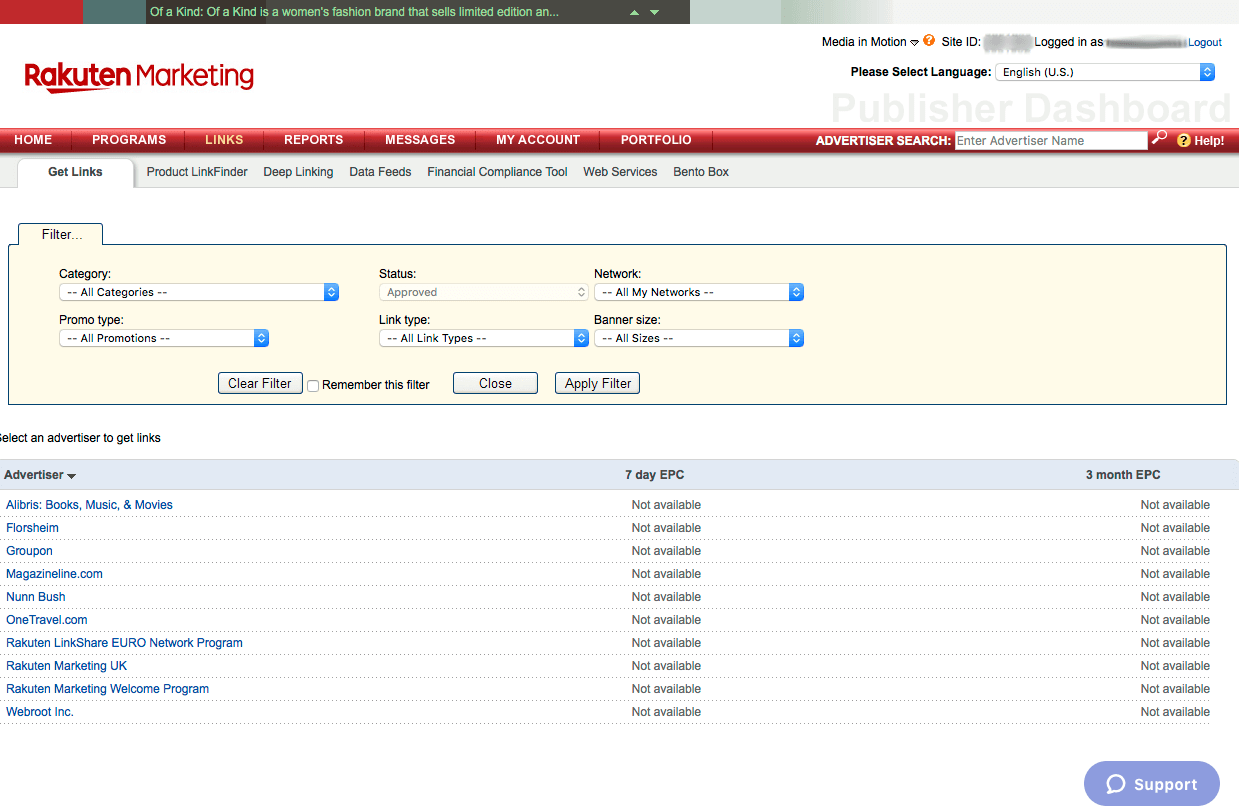
Depending on your need, you'll can hop around between categories, dive straight into an advertiser, or start by selecting the ad sizes you need. For our purposes here, we're going to start with the Category first. Choose a Category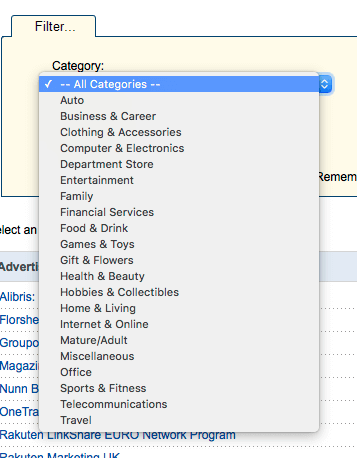
Here we've chosen Auto as our category, and while we're at it, we're also going to narrow the search to [Banners/Images] since we know we don't want a plain text link, search box, or something else. 
Pick an Ad SizeFor our purposes here, we're going to look for a 300x250 ad.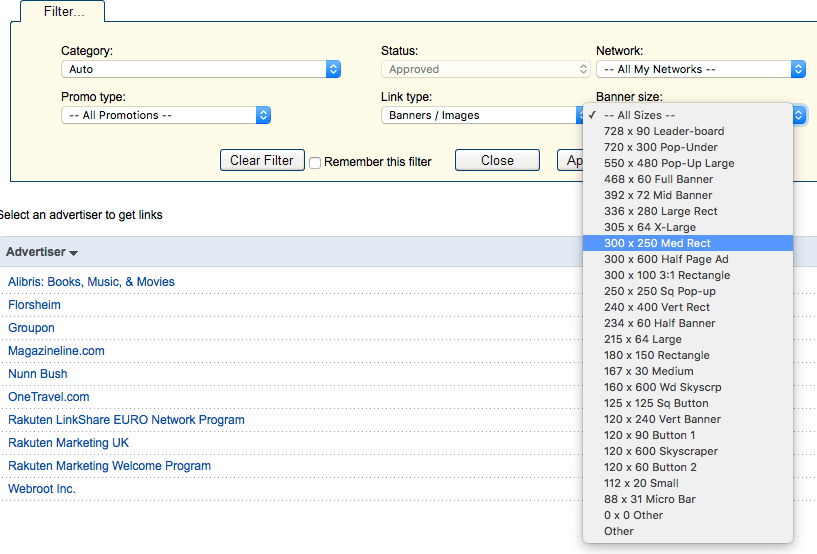
Apply FiltersOnce you've input your Category, Type, and Size Filters, you should see something that looks like this: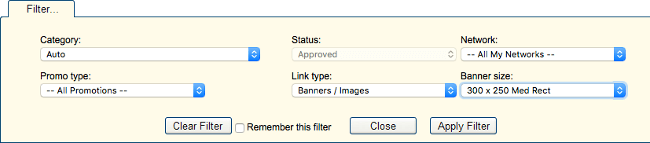
Just hit [Apply Filter], and voila! Advertisers you have relationships with that have 300x250 ads. 
Choose an AdvertiserAt this point in the walkthrough, you'll be choosing an advertiser; you could just as easily have started with the advertiser step first.Here, we're going to look at the first advertiser (grabbing them just for speed here, not because they're a good category match, which they actually aren't), and drill into their Banners/Images as shown here: 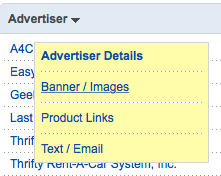
Apply Filters... AgainUnfortunately, in Linkshare even though you've already specified that you want 300x250 ads, you have to re-specify it again here: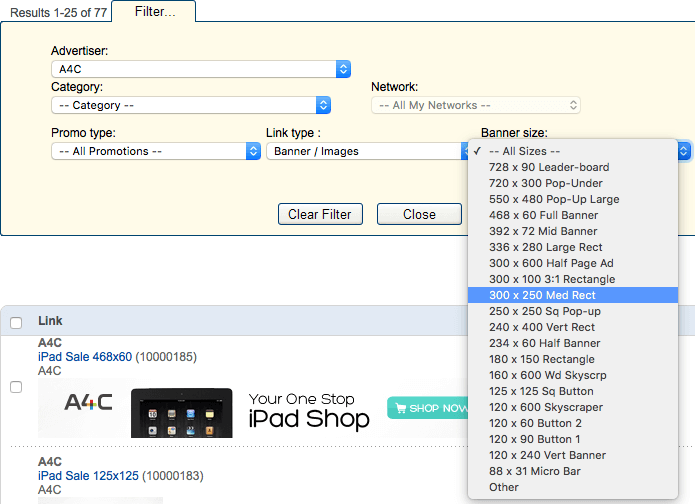
Choosing an AdBe careful here: it's easy to get sucked into ad-pulling and spend hours here thinking you've got to find the perfect ad.We're trying to "80/20" this and spend 20% of the time to get 80% of the ideal result. Really there are only a couple of points to consider here:
A quick glance to see if the offer is live and how long it has left to run can save you tremendous headache down the road in having to go back and update ads in your magazine. What's a Good Ad Lifetime?This is really about the topic of sales and seasonal ads, i.e. Black Friday, Memorial Day, Labor Day, etc.There are two philosophies here; you need to decide which is best for you:
Really, the best way to decide is based upon how many people are buying and reading old issues. If you have lots of activity in older issues, it's probably best to focus on evergreen ads; if your issues are effectively dead once the next one comes out, sales and short-term ads may be a better choice. Save the AdOnce you do, you get a list of ads like this: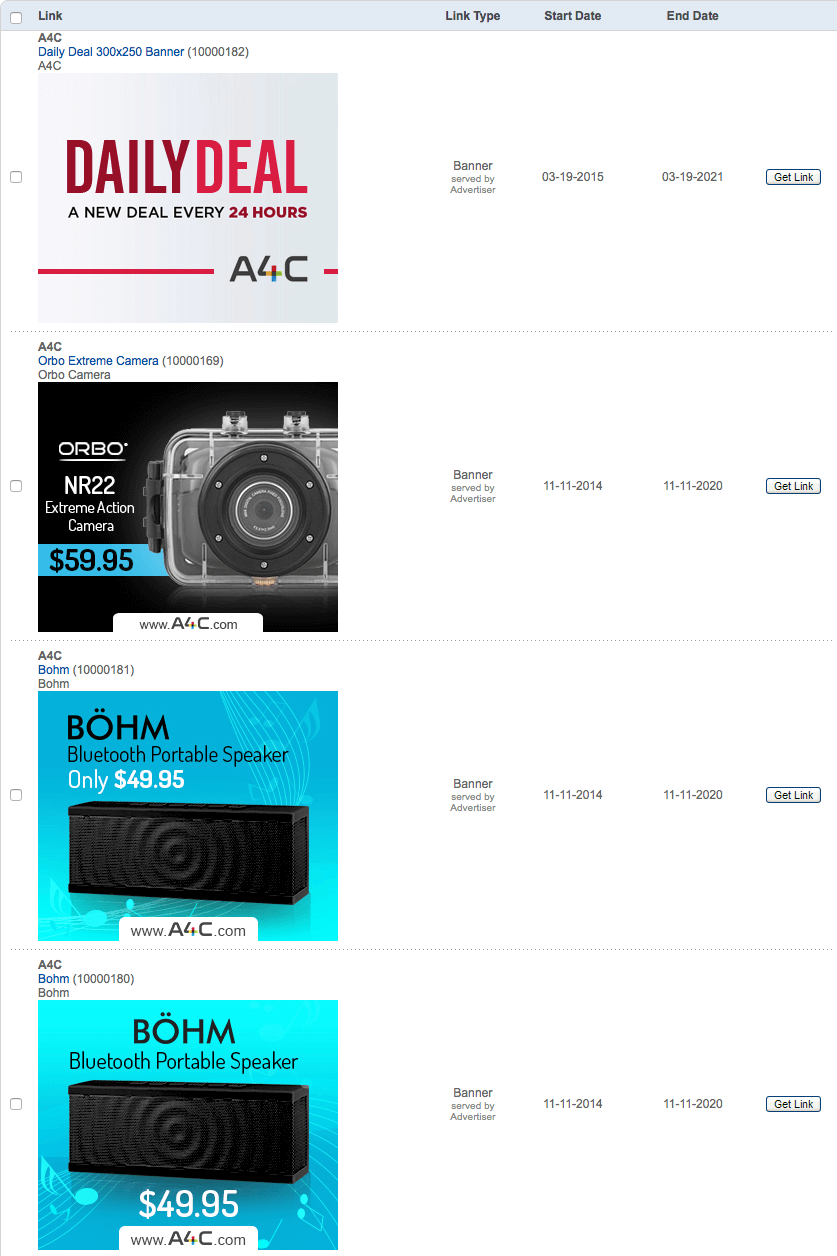
We're using the first one, so mouseover the image, "Right Click", and [Save Image to "Downloads"] (or whatever is the equivalent process on your OS/browser) as shown here: 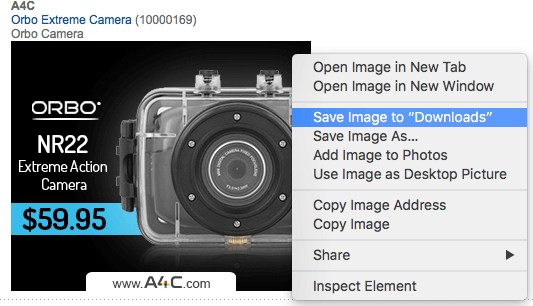
I suggest this naming convention: YYYY-MM-DD-AdvertiserName-Size.png/jpeg/gif This image name would be saved like this: 2018-09-17-A4C-300x250-ExtremeActionCamera.jpg Next, it's time to grab the link the advertiser wants you to send your visitors to, so click [Get Link] as shown here: 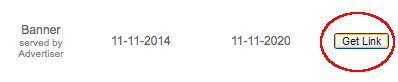
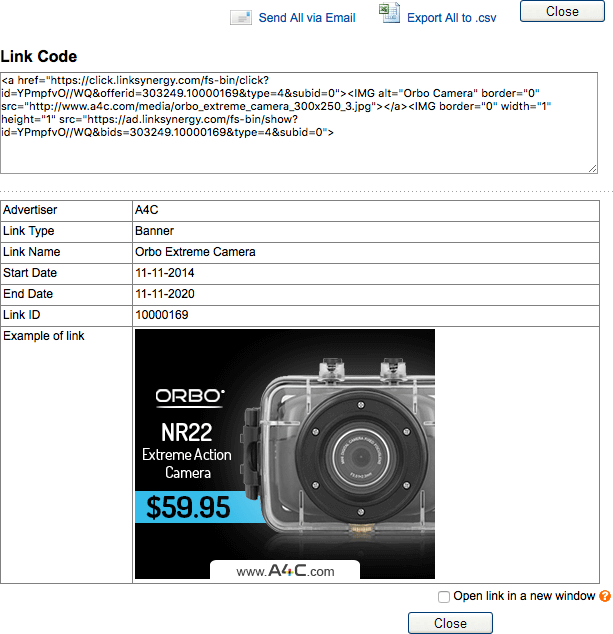
What you want in all that HTML gobbletygook at the top is JUST the link portion.
EXTREMELY IMPORTANT!! O-N-L-Y save the actual link
as shown below highlighted in blue. 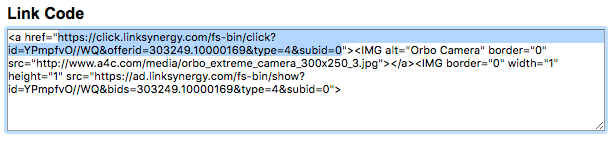
You only need to copy the portion that starts with http (WITHOUT the ") and goes to the character before the next ". To reiterate: DO NOT INCLUDE THE QUOTATION MARKS and DO NOT SAVE the whole block of code (which it will invariably default to.) OK, so you've pulled your first ad and grabbed the destination web page. Now what? Paste the link into a new browser / new tab and confirm that it works. 999/1000 it will. Sometimes it doesn't. This is YOUR money at stake; don't trust your money to some webmaster having 100% of their links working. Organizing Your AdsDespite the length of this HOWTO page, in no time, you'll have dozens or hundreds of ads in your stable to use.Naming, storing, and tracking them starts to matter: you want something organized here, not a cesspool, which is why we're sharing our Ad Tracking Spreadsheet. Making long-term sense of your ads with it is really easy. Consider storing this spreadsheet in Zoho or Google Docs so you've got access to it from multiple places and to minimize the chances of something tragic happening to it: it's about to become important to your money. Here's what it looks like: 
|
|
« Prior Ad Sizes |
Next » Inserting Full Page Ads |